

360W
1.21.11SHADERby xsoras
Preview


About
[](https://discord.gg/XgH4EpyPD2) > *The world from a drifting aerial camera.* 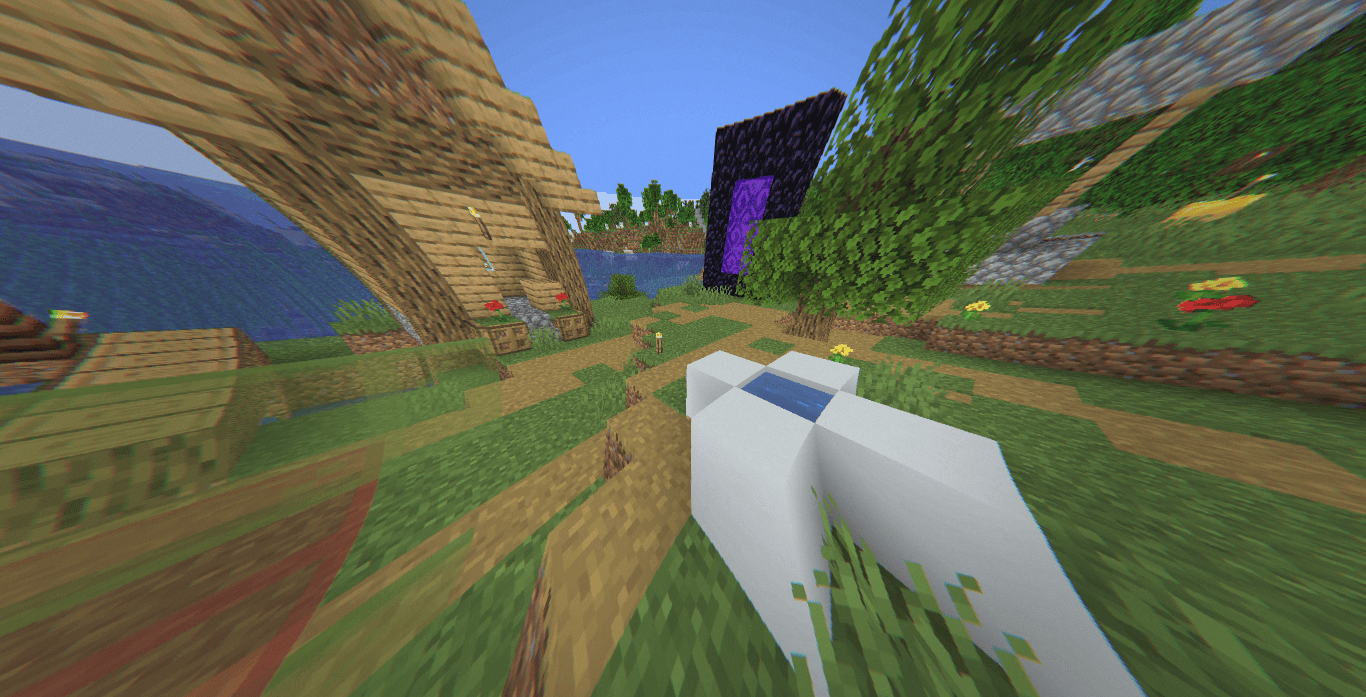 360W is a lightweight post-processing shader focused on recreating the visual character of stabilized drone footage rather than traditional cinematic rendering. Instead of altering Minecraft's lighting pipeline, it applies a series of camera-based effects including lens distortion, motion imperfections, atmospheric haze, highlight compression, and subtle sensor noise to create the impression of footage captured from a small aerial platform. 


Versions
360W 1.0
2 weeks ago

xsoras
Owner
Related Shaders

Complementary Shaders - Reimagined
Preserving the elements of Minecraft with exceptional quality, detail, and performance.

Complementary Shaders - Unbound
Transforming the visuals of Minecraft with exceptional quality, detail, and performance.

BSL Shaders
Shaderpack for Minecraft: Java Edition. It's bright, colorful, and distinct.

Photon Shaders
A gameplay-focused shader pack with a semi-realistic style