
Black & White
1.21.11SHADERby acurim
5.9K4
How to Install:
1. Download shader file→2. Open Minecraft with OptiFine/Iris→3. Video Settings > Shaders→4. Put file in shaders folder
Installation:
1. Download shader file•2. Open Minecraft with OptiFine/Iris•3. Go to Video Settings > Shaders•4. Click Shaders Folder•5. Put file in folder & select
Preview
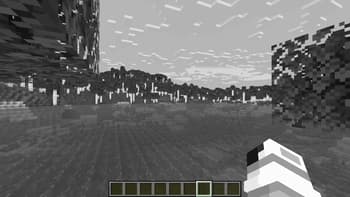
A lake
About
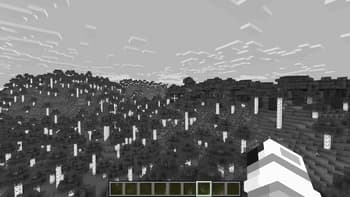
This shader just erases every color on your screen and makes it black & white instead (a.k.a. a grayscale), nothing much. This shader uses the Unlicense, by which it means you can do anything with it. You can't get any bug in this shader at all, but there is a bug report if you want to report something.
Preview
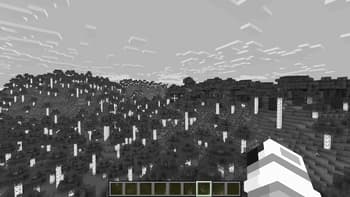
Birch Forest
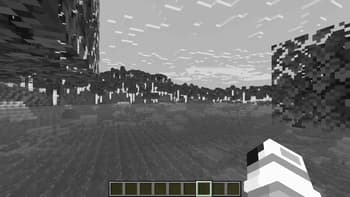
A lake
Versions
v1.0
9 months ago
Developers

acurim
Owner
Related Shaders

Complementary Shaders - Reimagined
Preserving the elements of Minecraft with exceptional quality, detail, and performance.
atmospherebloomcartooncolored-lightingfantasyfoliagehighirislowmediumoptifinepbrpotatoreflectionsshadowsvanilla-like
54.0M

Complementary Shaders - Unbound
Transforming the visuals of Minecraft with exceptional quality, detail, and performance.
atmospherebloomcartooncolored-lightingfantasyfoliagehighirislowmediumoptifinepbrpotatoreflectionssemi-realisticshadows
34.8M

BSL Shaders
Shaderpack for Minecraft: Java Edition. It's bright, colorful, and distinct.
atmospherebloomcartooncolored-lightingfoliageirislowoptifinepbrreflectionsshadows
24.4M

Solas Shader
A modern fantasy stylized shaderpack with colored lighting and stunning visuals
atmospherebloomcartooncolored-lightingfantasyfoliagehighirislowmediumoptifinepbrreflectionssemi-realisticshadows
13.2M