
Builder's QOL Shaders
1.21.11SHADERby Builderb0y
Preview
About
This shader pack is very old, and is no longer actively maintained. It might break in some future version of Minecraft. It has bugs, and I am not going to be fixing them. Please do not report them to me. FAQs: Q: What's the difference between the main edition and the modded edition? A: Main has the most features, but doesn't work properly for some mods that use fancy rendering techniques. Modded aims to fix this issue, by using a completely different rendering pipeline, but that pipeline doesn't allow for some of the effects that main has. Use whichever edition works best for you. Q: Things look bad when one translucent block is in front of another one. Especially water. A: Nothing I can do about that. Sorry. Q: Will there ever be shadows? A: No. Drawing the shadow map requires r...
Read more on ModrinthPreview
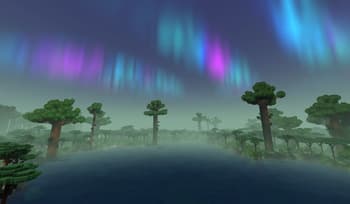
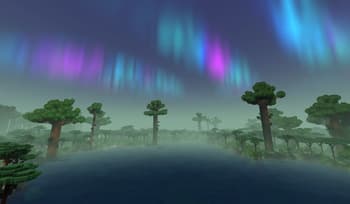
The Twilight Forest
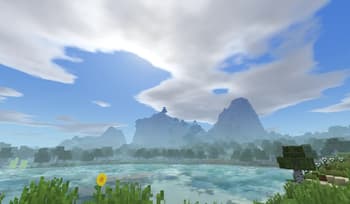
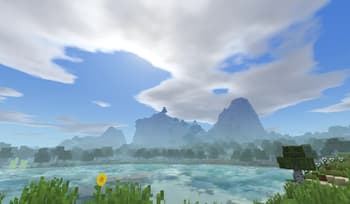
The Overworld
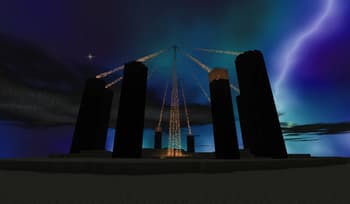
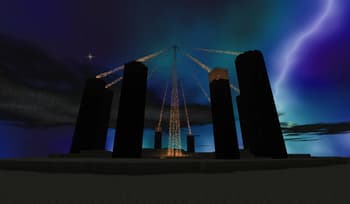
The End
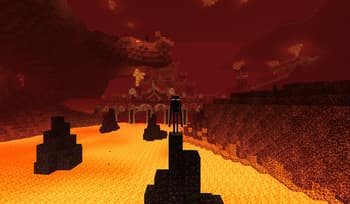
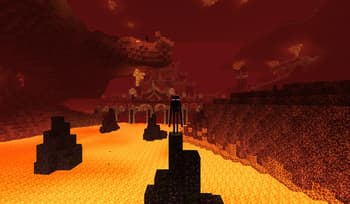
The Nether
Versions
V2.11.0
2 years ago
V2.10.0
3 years ago
V2.9.0
3 years ago

Builderb0y
Owner
Related Shaders

Complementary Shaders - Reimagined
Preserving the elements of Minecraft with exceptional quality, detail, and performance.

Complementary Shaders - Unbound
Transforming the visuals of Minecraft with exceptional quality, detail, and performance.

MakeUp - Ultra Fast
MakeUp aims to provide the best quality / performance ratio, building a shader that can be adapted to anyone's resources.

Mellow
Shaderpack with a painterly aesthetic made for people who want to actually play the game. It's easy on your eyes and on your computer!