
Eclipse Lite Cinematic
1.21.11SHADERby GamesofDev
Preview
About
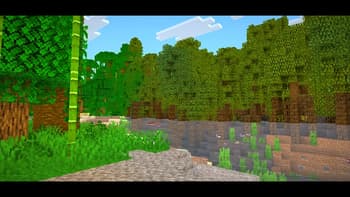
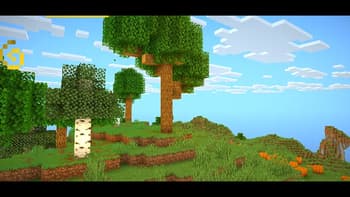
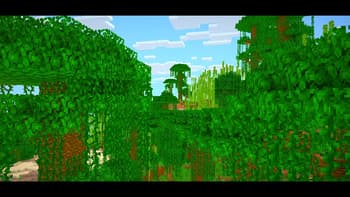
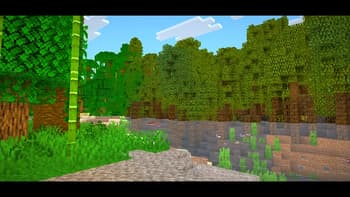
[](https://buymeachai.ezee.li/gamesofdev) ### ABOUT ****Eclipse Lite V2** is an ultra-lightweight Minecraft shader for low-end PCs and laptops. It keeps the vanilla look while adding subtle visual improvements and cinematic black bars for a movie-like experience — all with minimal FPS impact. .** ### Features **Eclipse Lite is made for ultra-low-end devices. It has no waving effects and avoids all heavy features like bloom, motion blur, and depth of field to ensure high FPS. The water uses the default Minecraft style but is transparent for a cleaner, more aesthetic look. This shader is in BETA, so minor bugs may be present. It's perfect for players who can’t run shaders like Sildur’s ...
Read more on ModrinthPreview
Overview #1
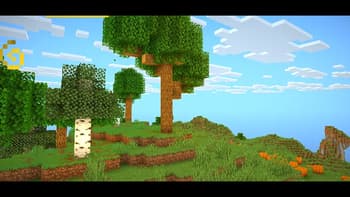
Overview #3
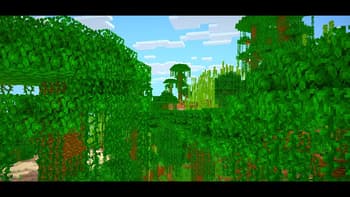
Overview #2
Versions
Eclipse Lite Cinematic v1
4 weeks ago

GamesofDev
Owner
Related Shaders

Complementary Shaders - Reimagined
Preserving the elements of Minecraft with exceptional quality, detail, and performance.

Complementary Shaders - Unbound
Transforming the visuals of Minecraft with exceptional quality, detail, and performance.

MakeUp - Ultra Fast
MakeUp aims to provide the best quality / performance ratio, building a shader that can be adapted to anyone's resources.

Mellow
Shaderpack with a painterly aesthetic made for people who want to actually play the game. It's easy on your eyes and on your computer!