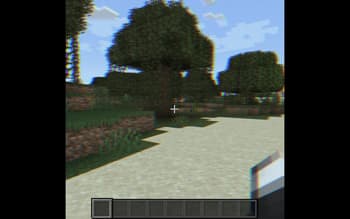

Fabulous VHS
1.21.11SHADERby VoxWorks
Preview
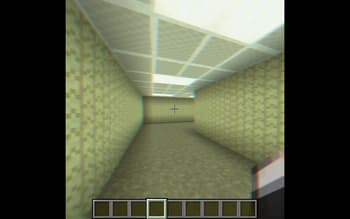
About
## **Fabulous VHS** Fabulous VHS is a stylized shader pack for Minecraft designed to recreate the distinct look and feel of 1990s analog media. Rather than aiming for modern realism, this pack focuses on atmosphere, nostalgia, and the "imperfections" of vintage video. Visual Style The core of this pack is built around a custom color grade that mimics aged magnetic tape. You will notice softer contrast, slightly desaturated tones, and a warm glow that makes lighting feel more organic and less digital. ## **Key Features** Analog Distortion: Subtle jitter and tape-wear effects that give the screen a physical, mechanical feel. Chromatic Aberration: Realistic color fringing on the edges of blocks and high-contrast areas. CRT Scanlines: An optional, fine-grid overlay that replicates the experi...
Read more on ModrinthPreview
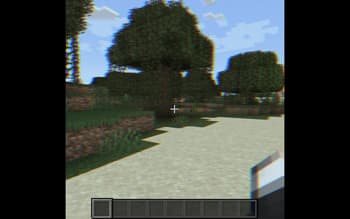
Showcase Image
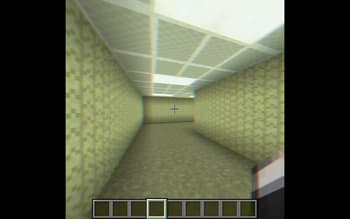
Using Shader In Backrooms
Versions
Fabulous VHS 2
2 months ago
Fabulous VHS (BUG FIX)
3 months ago
Release (Broken)
3 months ago

VoxWorks
Owner
Related Shaders

Complementary Shaders - Reimagined
Preserving the elements of Minecraft with exceptional quality, detail, and performance.

Complementary Shaders - Unbound
Transforming the visuals of Minecraft with exceptional quality, detail, and performance.

BSL Shaders
Shaderpack for Minecraft: Java Edition. It's bright, colorful, and distinct.

Photon Shaders
A gameplay-focused shader pack with a semi-realistic style