

ImprovedVanillaLighting
1.21.11SHADERby BobJeff1435
Preview


About
A simple high performance shader to make the game look smoother and wamer.Aswell making it more atmospheric with tweaks to the fog.Aswell as some added bloom effects in the newest version. 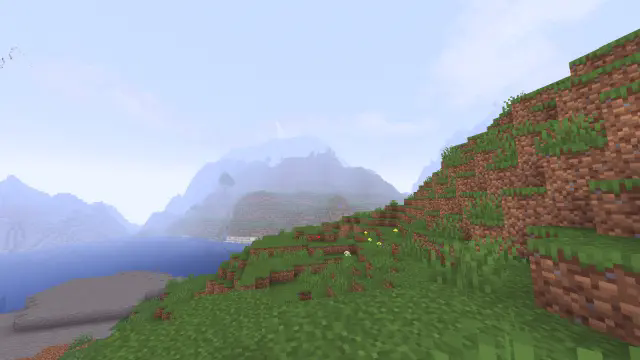 Based off: https://modrinth.com/shader/base-shader?version=1.21.1(licenced under CC0, so is this but please modify it (in some noticeable way) if you do intend to upload it to other places.)
Preview


outdoors with v1.2


Versions
v1.4
8 months ago
V1.3
10 months ago
v1.2
10 months ago
v1.1
10 months ago

BobJeff1435
Owner
Related Shaders

Complementary Shaders - Reimagined
Preserving the elements of Minecraft with exceptional quality, detail, and performance.

Complementary Shaders - Unbound
Transforming the visuals of Minecraft with exceptional quality, detail, and performance.

BSL Shaders
Shaderpack for Minecraft: Java Edition. It's bright, colorful, and distinct.

Photon Shaders
A gameplay-focused shader pack with a semi-realistic style