

Kyoko Shader's
1.21.11SHADERby foxlover2
Preview
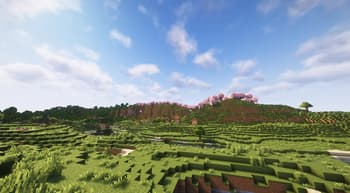

About
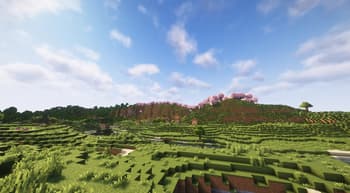
Experience Minecraft Like Never Before Introducing Kyoko Shaders — a professionally crafted Vanilla+ shader pack designed to deliver realistic lighting, vibrant colors, and immersive atmosphere while preserving the iconic feel of Minecraft. Built with both beauty and performance in mind, Kyoko Shaders creates a cinematic experience without straying too far from the game’s original style. From glowing sunsets and dynamic shadows to crystal-clear water reflections and volumetric clouds, every visual effect has been carefully tuned to make your world feel alive. ✨ Features Realistic lighting and dynamic shadows Vibrant Vanilla+ visual style Beautiful water reflections and wave effects Soft bloom and cinematic atmosphere Volumetric clouds and enhanced skies Improved sunlight, moonlight, and...
Read more on ModrinthPreview

Versions
1.0
1 month ago

foxlover2
Owner
Related Shaders

Complementary Shaders - Reimagined
Preserving the elements of Minecraft with exceptional quality, detail, and performance.

Complementary Shaders - Unbound
Transforming the visuals of Minecraft with exceptional quality, detail, and performance.

Photon Shaders
A gameplay-focused shader pack with a semi-realistic style

Solas Shader
A modern fantasy stylized shaderpack with colored lighting and stunning visuals