
Legacy Console Edition Shaders
1.21.11SHADERby TigrePlayz
Preview
About
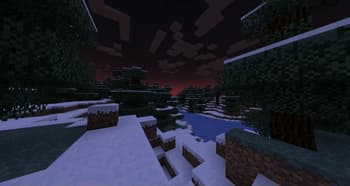
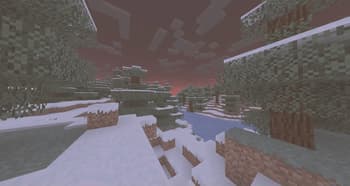
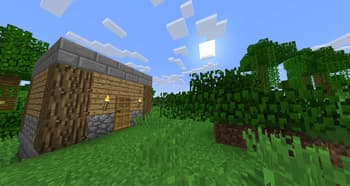
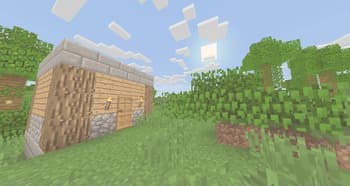
# **What is it?** Simple and performant shader that aims to replicate the look of legacy console editions. This shader is a basic post-processing effect applied to the game without any fancy techniques like shadows, reflections, etc. So it should be able to run on basically every computer (if supported). There's no tweakable settings for Optifine / Iris in the shader menu, but the values are easy to change and edit it inside of the shader code. In the shader code (final.fsh), there's variables like contrast, gamma, vibrance, and other variables that are tweaked to look like the legacy console editions of the game. # **Why would you install this shader?** You would install this shader if you miss the old nostalgic look of Minecraft in the old legacy console editions (Xbox 360, Xbox On...
Read more on ModrinthPreview
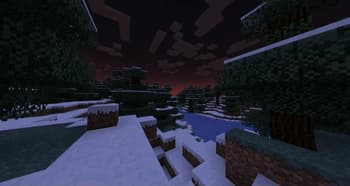
Without shader
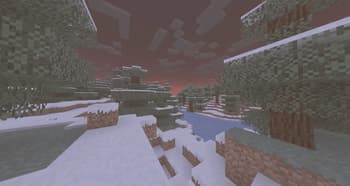
With shader
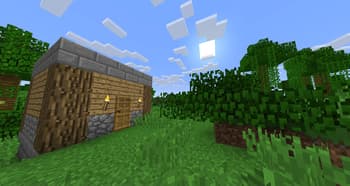
Without shader
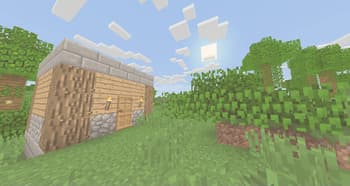
With shader
Versions
a0.1
1 year ago

TigrePlayz
Owner
Related Shaders

Complementary Shaders - Reimagined
Preserving the elements of Minecraft with exceptional quality, detail, and performance.

Complementary Shaders - Unbound
Transforming the visuals of Minecraft with exceptional quality, detail, and performance.

MakeUp - Ultra Fast
MakeUp aims to provide the best quality / performance ratio, building a shader that can be adapted to anyone's resources.

Mellow
Shaderpack with a painterly aesthetic made for people who want to actually play the game. It's easy on your eyes and on your computer!