

No More Brightness
1.21.11SHADERby Pxnk0r
Preview

About
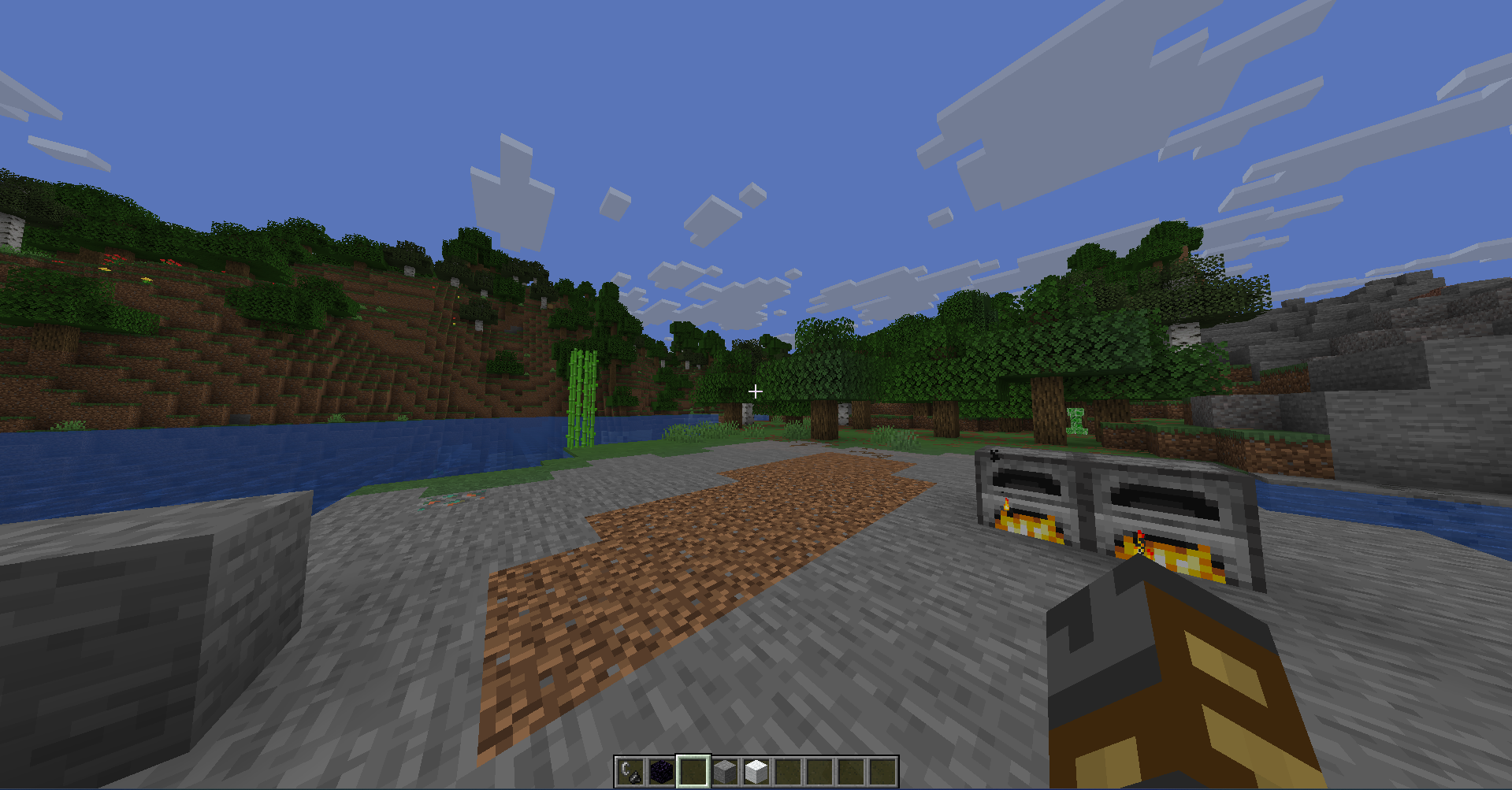 # No More Brightness **No More Brightness** is a minimal Minecraft Iris shaderpack that makes the game slightly darker without changing the vanilla style too much. Minecraft daytime can be very bright, especially when playing at night or in a dark room. This shaderpack lowers the overall brightness so the screen feels less harsh, while still keeping Minecraft natural, simple, and easy to recognize. ## Features - Gently darkens Minecraft daylight - Makes bright screens easier on the eyes - Keeps a vanilla-like Minecraft look - Lightweight shaderpack for Iris - Works without PBR - No bloom - No custom shadows - No reflections - No extra visual effects - Keeps the se...
Read more on ModrinthPreview

Darker Minecraft daylight with No More Brightness Iris shader

No More Brightness shader in daytime
Versions
Initial Iris shaderpack release
1 week ago

Pxnk0r
Owner
Related Shaders

Complementary Shaders - Reimagined
Preserving the elements of Minecraft with exceptional quality, detail, and performance.

Complementary Shaders - Unbound
Transforming the visuals of Minecraft with exceptional quality, detail, and performance.

BSL Shaders
Shaderpack for Minecraft: Java Edition. It's bright, colorful, and distinct.

Photon Shaders
A gameplay-focused shader pack with a semi-realistic style