
RealisticallyOptimized
1.21.11SHADERby bitz
Preview
About
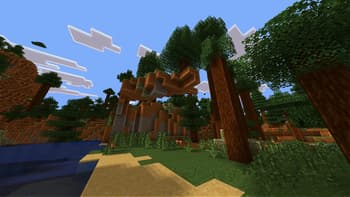
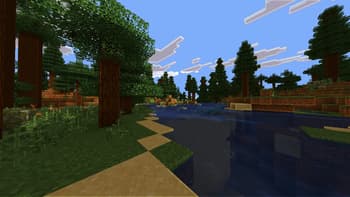
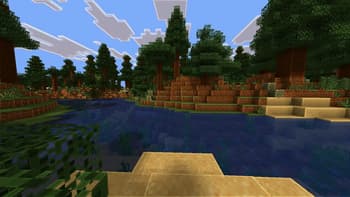
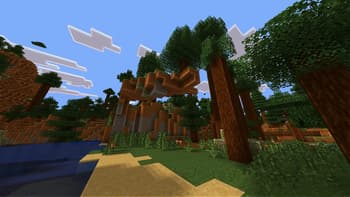
# RealisticallyOptimized Shader ## Overview RealisticallyOptimized is a stylized, performance-focused shader preset with toon lighting, strong outlines, brighter sky highlights, deeper nights, and improved emissive handling for ores and light sources. ## Features - Real-time shadow mapping for terrain, entities, textured geometry, and water. - Toon ramp direct lighting with adjustable shadow darkness and step count. - Day/night color tinting with global vibrance control. - White world outline effect in final pass (Complementary-inspired depth-based method). - Adjustable outline thickness and brightness. - Brighter sky/sun/moon rendering with preserved geometry separation. - Darker nighttime grading with optional cool blue weather/night tint. - Enhanced blocklight contribution across terr...
Read more on ModrinthPreview
Showcase
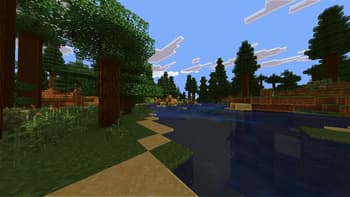
Showcase
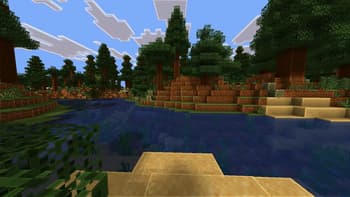
Showcase
Versions
RealisticallyOptimized 0.2.0
3 months ago
Initial Release
3 months ago

bitz
Owner
Related Shaders

Complementary Shaders - Reimagined
Preserving the elements of Minecraft with exceptional quality, detail, and performance.

Complementary Shaders - Unbound
Transforming the visuals of Minecraft with exceptional quality, detail, and performance.

MakeUp - Ultra Fast
MakeUp aims to provide the best quality / performance ratio, building a shader that can be adapted to anyone's resources.

Mellow
Shaderpack with a painterly aesthetic made for people who want to actually play the game. It's easy on your eyes and on your computer!