ModLume
Refractal
Refractal

Refractal

1.21.11SHADER

by Quiet_Kid123

4852
How to Install:
1. Download shader file2. Open Minecraft with OptiFine/Iris3. Video Settings > Shaders4. Put file in shaders folder
Installation:
1. Download shader file2. Open Minecraft with OptiFine/Iris3. Go to Video Settings > Shaders4. Click Shaders Folder5. Put file in folder & select

Preview

Preview 2
Preview 3
Preview 4

About

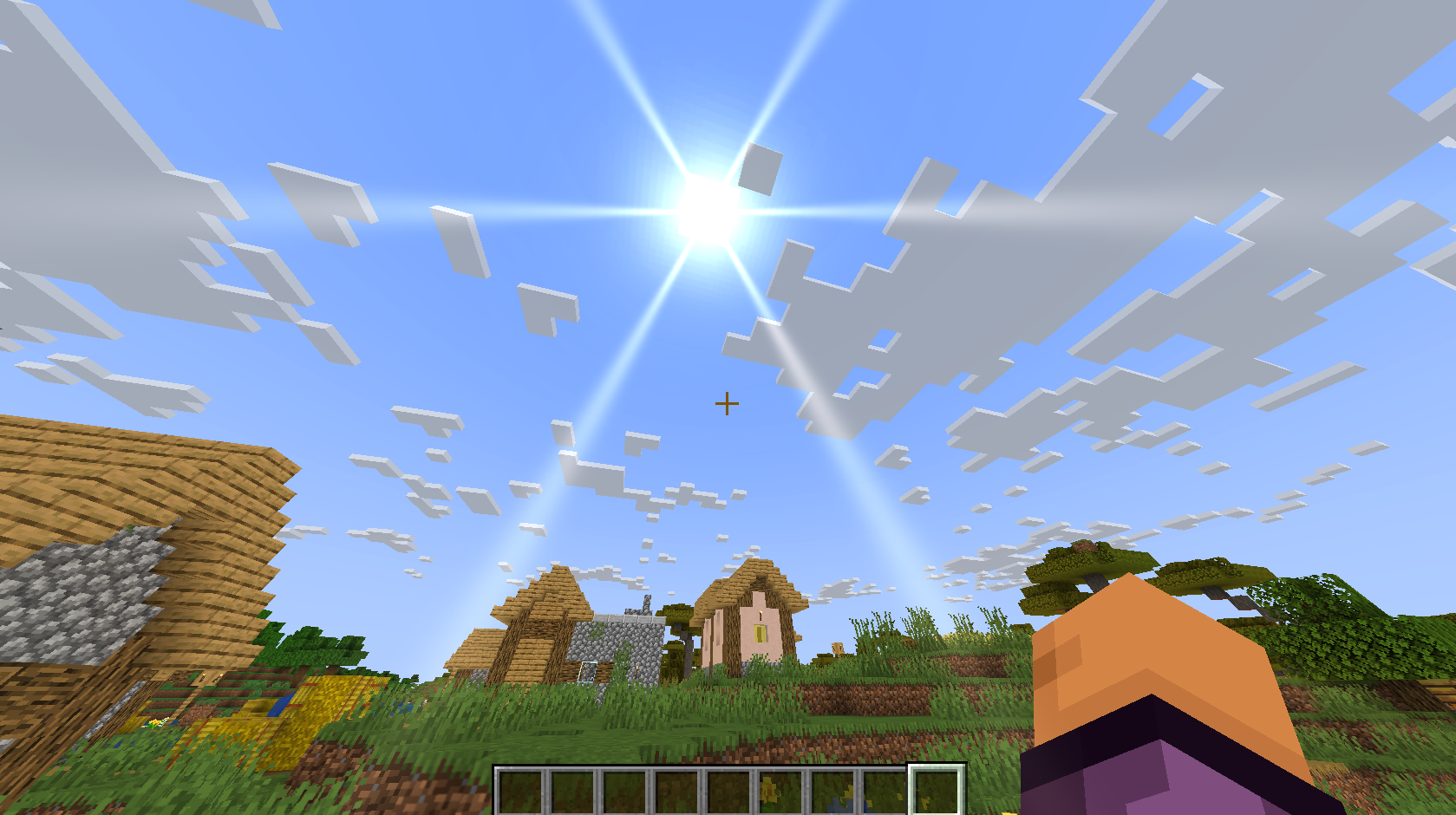
#### Features: - Focus blur (depth of field). - Motion blur. - Liquid (water and lava) distortion. - Glow and glare around the sun. --- ![Looking at close objects blurs the background](https://cdn.modrinth.com/data/cached_images/75776543bec1444696bef9c9eeb307291eada409.jpeg) ![Looking at far objects blurs close objects](https://cdn.modrinth.com/data/cached_images/4c45acfecae6295921e76ba509e72a86ca111530.jpeg) ![Underwater distortion](https://cdn.modrinth.com/data/cached_images/908b2bac2bf514e3ce99de7be744f4efcbb389f1.jpeg) ![Glow and glare](https://cdn.modrinth.com/data/cached_images/1655d068721af2640661df55c317a61c71cd56cc.png)

Preview

Glow and Glare around the Sun

Glow and Glare around the Sun

Preview 2
Preview 3
Preview 4

Versions

1.1

2 months ago

1.21.11

First

2 months ago

1.21.11
Quick Info

Minecraft Version

1.21.11

Required Mods

OptiFine / Iris

Developers
Quiet_Kid123

Quiet_Kid123

Owner