
Simple Saturation Shader
1.21.11SHADERby MrBrose
About
**A very light shader pack for Iris that adds a saturation slider, to allow you to change the saturation of your game** 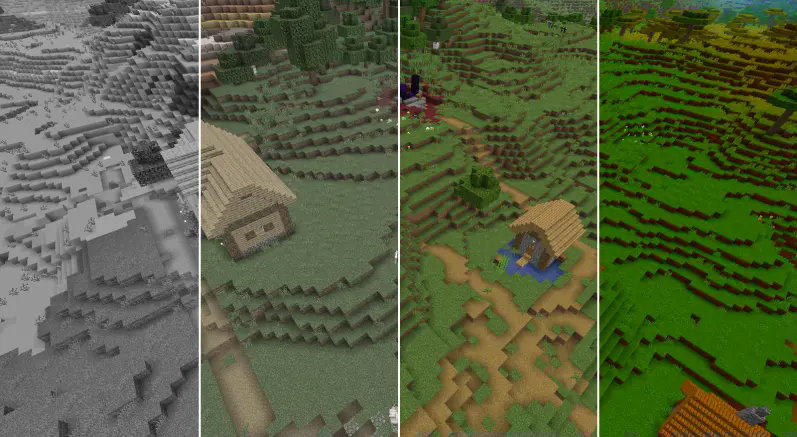 The sliders vary from: "0.0 0.05 0.10 0.15 0.20 0.25 0.30 0.35 0.40 0.45 0.50 0.55 0.60 0.65 0.70 0.75 0.80 0.85 0.90 0.95 1.0 1.05 1.10 1.15 1.20 1.25 1.30 1.35 1.40 1.45 1.50 1.55 1.60 1.65 1.70 1.75 1.80 1.85 1.90 1.95 2.0 3.0 100" With 1 being normal saturation, 0 being none and 100 being max. This shader pack was made by MrBrose, with help from RJ_Infinity Base code based off of "Base-Shader" by Bestsoft100 https://modrinth.com/shader/base-shader
Preview
Saturation Showcase
Versions
Simple Saturation Shader v1.0
1 year ago

MrBrose
Owner
Related Shaders

Complementary Shaders - Reimagined
Preserving the elements of Minecraft with exceptional quality, detail, and performance.

Complementary Shaders - Unbound
Transforming the visuals of Minecraft with exceptional quality, detail, and performance.

BSL Shaders
Shaderpack for Minecraft: Java Edition. It's bright, colorful, and distinct.

Photon Shaders
A gameplay-focused shader pack with a semi-realistic style