

Spring Shaders (Chun)
1.21.11SHADERby ZYPanDa
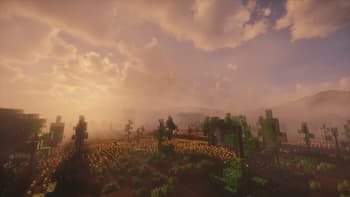
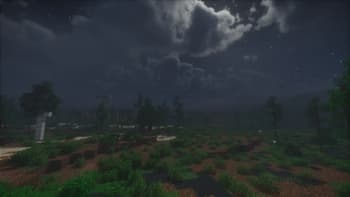
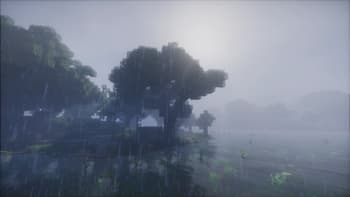
Preview
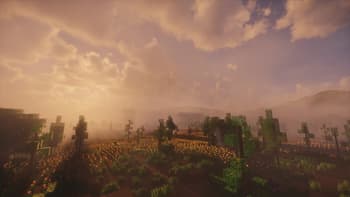
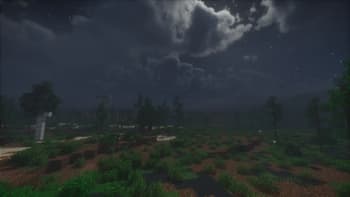
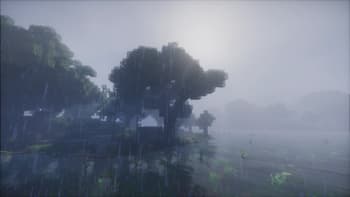
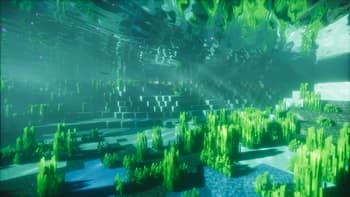


About
# Introduction "Spring" sets a tone of freshness and nature, using soft and bright colors to create a tranquil and harmonious atmosphere. As the harsh winter melts away and all living things recover, who is it that plucks the strings of the season and plays the movement of life? The brand-new shader work, **Spring v2**, will take you into a dreamlike utopia. ## Shader Information This shader is a practice work I wrote while studying the course *Games202 - High Quality Real-Time Rendering*. I consider it a sequel to the "Spring" series of shaders; you can view it as a refactored/completed version of *Spring v1*. "Spring" is the codename I used when creating texture packs ten years ago, and I have continued to use this designation. Below are the effects included in this shader: ### Ligh...
Read more on ModrinthPreview

Versions
v2 260618
2 days ago
v2 260612
2 weeks ago
v2 260428
2 months ago
v2 260416
2 months ago
v2 260412
2 months ago
v2 260326
3 months ago

ZYPanDa
Owner
Related Shaders

Complementary Shaders - Reimagined
Preserving the elements of Minecraft with exceptional quality, detail, and performance.

Complementary Shaders - Unbound
Transforming the visuals of Minecraft with exceptional quality, detail, and performance.

BSL Shaders
Shaderpack for Minecraft: Java Edition. It's bright, colorful, and distinct.

Photon Shaders
A gameplay-focused shader pack with a semi-realistic style