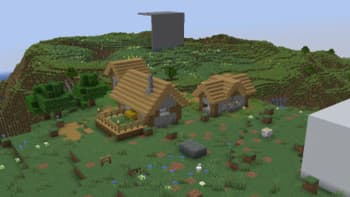

TAA69
1.21.11SHADERby lipesto
Preview


About
 This shader runs TAA 4x. This allows it to achieve quality comparable to SSAA 4x while fully refreshing frame data over just 4 frames. This shader uses multi-layer history buffer for TAA, allowing it to blend in previous frame data without smearing it over time. Blah blah blah you know Porsche? This shader works exactly as the clutch in that supercar.  ### Distant Horizons supported!11  As always, you can come cry to my [Discord server](https:/...
Read more on ModrinthPreview
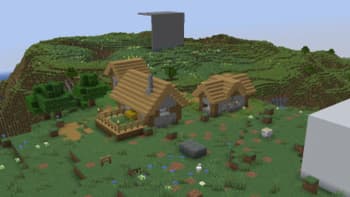
TAA vs no aa

taa vs NO AA

TAA vs no aa

taa vs NO AA
Versions
AMD compatibility fix
2 months ago
Distant Horizons support
2 months ago
1.0
2 months ago
0.1
2 months ago

lipesto
Owner
Related Shaders

Complementary Shaders - Reimagined
Preserving the elements of Minecraft with exceptional quality, detail, and performance.

Complementary Shaders - Unbound
Transforming the visuals of Minecraft with exceptional quality, detail, and performance.

MakeUp - Ultra Fast
MakeUp aims to provide the best quality / performance ratio, building a shader that can be adapted to anyone's resources.

Mellow
Shaderpack with a painterly aesthetic made for people who want to actually play the game. It's easy on your eyes and on your computer!