

True Black & White Shader (Grayscale)
1.21.11SHADERby CmReNano
2.2K3
How to Install:
1. Download shader file→2. Open Minecraft with OptiFine/Iris→3. Video Settings > Shaders→4. Put file in shaders folder
Installation:
1. Download shader file•2. Open Minecraft with OptiFine/Iris•3. Go to Video Settings > Shaders•4. Click Shaders Folder•5. Put file in folder & select
Preview

World

:)
About
The shader converts images in Minecraft to black and white using the average of the colors (R + G + B) / 3. It is applied to the world, but does not change the colors of the interface (GUI). 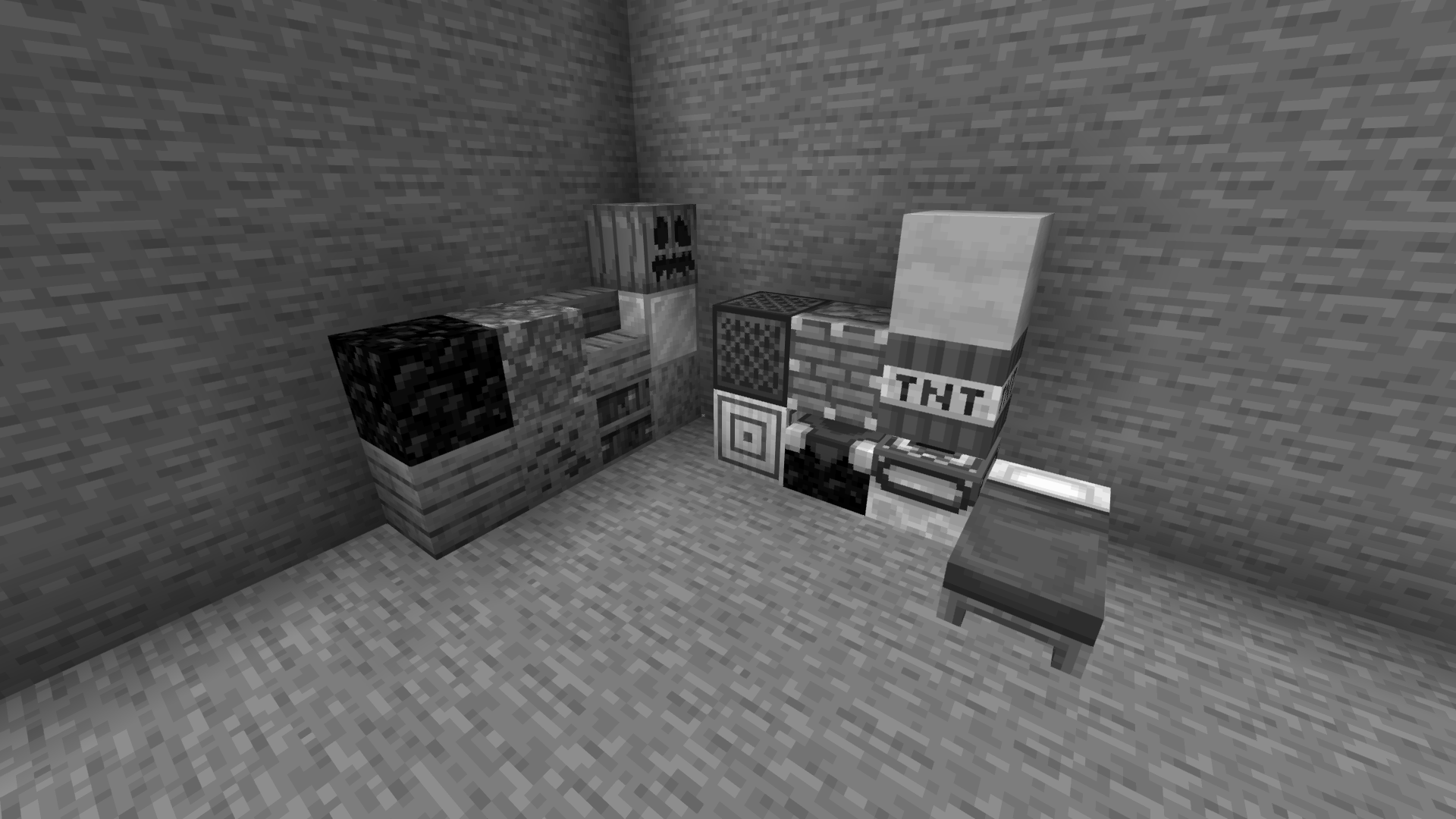
Preview

Blocks

World

:)
Versions
Black-White_optifane_1.0.0
11 months ago
Developers

CmReNano
Owner
Related Shaders

Complementary Shaders - Reimagined
Preserving the elements of Minecraft with exceptional quality, detail, and performance.
atmospherebloomcartooncolored-lightingfantasyfoliagehighirislowmediumoptifinepbrpotatoreflectionsshadowsvanilla-like
54.0M

Complementary Shaders - Unbound
Transforming the visuals of Minecraft with exceptional quality, detail, and performance.
atmospherebloomcartooncolored-lightingfantasyfoliagehighirislowmediumoptifinepbrpotatoreflectionssemi-realisticshadows
34.8M

Solas Shader
A modern fantasy stylized shaderpack with colored lighting and stunning visuals
atmospherebloomcartooncolored-lightingfantasyfoliagehighirislowmediumoptifinepbrreflectionssemi-realisticshadows
13.2M

Bliss Shaders
A well performing fantasy styled shaderpack with emphasis on scene variation and customization.
atmospherebloomcolored-lightingfantasyfoliagehighirislowmediumoptifinepbrreflectionsscreenshotsemi-realisticshadows
11.3M