
UltraVanilla+
1.21.11SHADERby Ultra_Experiences
Preview

About
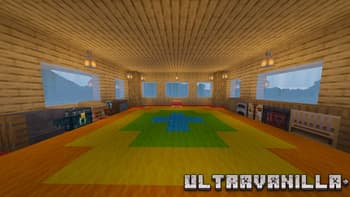
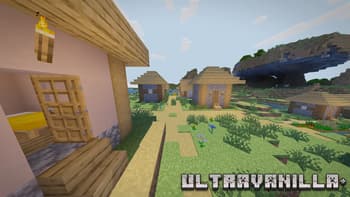
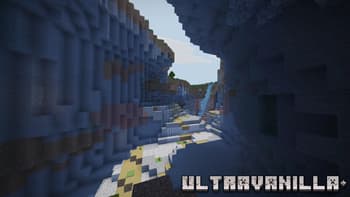
 # UltraVanilla+ Enhanced Vanilla Shaders UltraVanilla+ makes Minecraft look better without changing what makes it feel like Minecraft. Vanilla sky, fog, and clouds stay exactly as they are. The shader adds soft shadows, warm sunlight, animated water, rain wetness, and subtle post-processing on top of the game you already know. It was built from the ground up for extremely low-end hardware. The entire pack is 23KB. If your computer can run Minecraft with Iris, it can run this shader. Developed and tested on Intel Iris Xe integrated graphics at 50+ FPS. --- ## Features Soft PCF shadows with three quality tiers. Warm golden sunlight that shifts to orange at sunset and cool blue moonlight at ...
Read more on ModrinthPreview
Indoor View
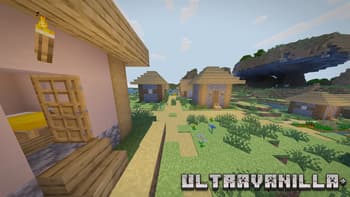
Village View
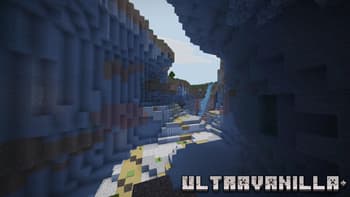
Cave View

UltraVanilla+ Background
Versions
Version 1.0
2 months ago

Ultra_Experiences
Owner
Related Shaders

Complementary Shaders - Reimagined
Preserving the elements of Minecraft with exceptional quality, detail, and performance.

Complementary Shaders - Unbound
Transforming the visuals of Minecraft with exceptional quality, detail, and performance.

MakeUp - Ultra Fast
MakeUp aims to provide the best quality / performance ratio, building a shader that can be adapted to anyone's resources.

Mellow
Shaderpack with a painterly aesthetic made for people who want to actually play the game. It's easy on your eyes and on your computer!