
Verlixia
1.21.11SHADERby KaiakK
Preview
About
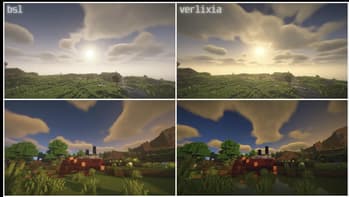
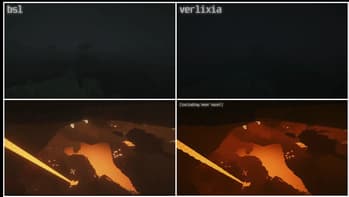
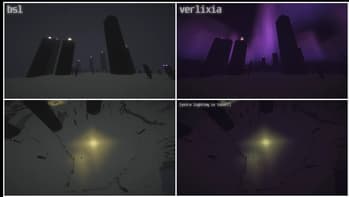
 ### DISCLAIMER! Most of the Verlixia code is originally by Capt Tatsu in his [BSL Shaders](https://modrinth.com/shader/bsl-shaders). Verlixia is a "fork" of BSL Shaders v8.3 / 10.1 with permission by Capt Tatsu himself. Credits to Capt Tatsu! Verlixia is also currently in beta and slightly unfinished. ## Verlixia! **Verlixia** is a shaderpack based on BSL that adds/changes: - Color toning: Warmer colors during the day but cooler colors during night time and storms! - Better darkness: Nights and caves are more darker for realism, including storms. - Wet reflections: Water is now reflective by default and now after it rains, blocks will have a shiny wet reflection! - Multi-color...
Read more on ModrinthPreview
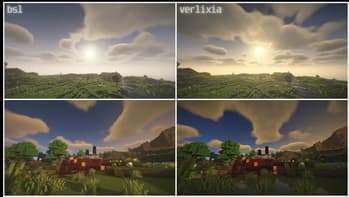
Comparison #1
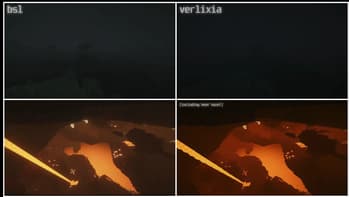
Comparison #2
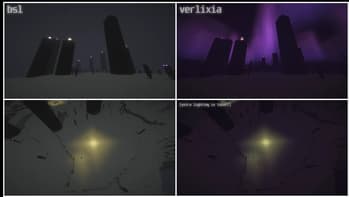
Comparison #3
Versions
Verlixia 2.1
2 months ago
Verlixia 2.0
2 months ago
Verlixia 1.1
3 months ago
Verlixia 1.0
3 months ago

KaiakK
Owner
Related Shaders

Complementary Shaders - Reimagined
Preserving the elements of Minecraft with exceptional quality, detail, and performance.

Complementary Shaders - Unbound
Transforming the visuals of Minecraft with exceptional quality, detail, and performance.

Photon Shaders
A gameplay-focused shader pack with a semi-realistic style

Solas Shader
A modern fantasy stylized shaderpack with colored lighting and stunning visuals