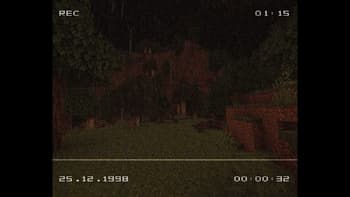

VHS Overlay
1.21.11SHADERby lidlevolkan
15.4K14
How to Install:
1. Download shader file→2. Open Minecraft with OptiFine/Iris→3. Video Settings > Shaders→4. Put file in shaders folder
Installation:
1. Download shader file•2. Open Minecraft with OptiFine/Iris•3. Go to Video Settings > Shaders•4. Click Shaders Folder•5. Put file in folder & select
Preview
About
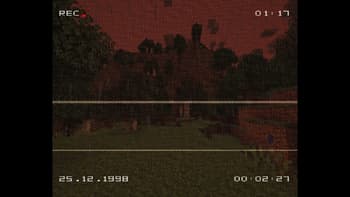
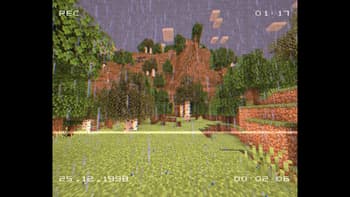
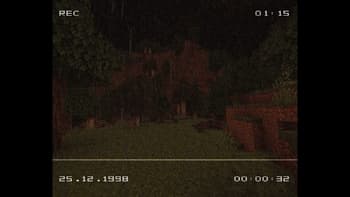
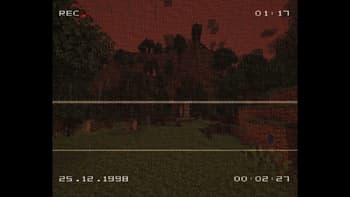
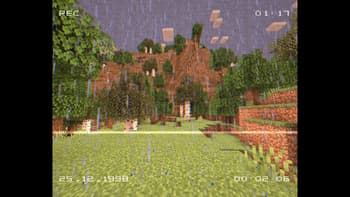
◽ This shader adds the classic VHS tape Overlay with REC, date and time. ◽ Also effects like Film Grain, Scan Lines, Chroma Shift. ❗ Overlays are not static. It's working real time. (Not real date/time of your pc but like recording time.)  ⚠️ Requires OptiFine or Iris (Sodium).
Preview
Versions
VHS Overlay
10 months ago
Developers

lidlevolkan
Owner
Related Shaders

Clarity
FullBright2 is now named Clarity and it removes all shadows and fog wich makes you see clearly everywhere and can be used for mining or travelling at night.
atmospherecartooncursedfantasyirislowoptifinepotatoshadowsvanilla-like
659.2K

CTR VCR
Retro stylized shader that brings artifacts from CRT and VCR / VHS
bloomcursedirislowoptifinepotatosemi-realisticvanilla-like
464.4K

Cursed Fog
Creepy, tense shaders that will tickle your nerves.
atmospherebloomcolored-lightingcursedhighirislowmediumoptifinepotatorealisticscreenshotsemi-realisticshadows
461.3K

Flashlight Shader
Iris shader that gives you a flashlight!
atmospherecursedirisoptifinepotatovanilla-like
340.4K