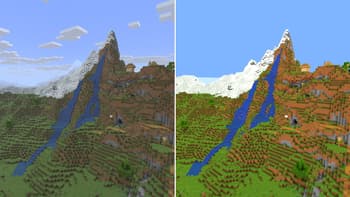

Vividness
1.21.11SHADERby kumsung
Preview
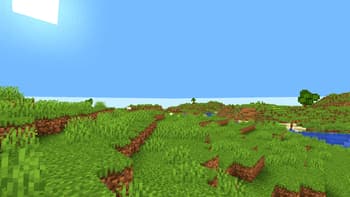
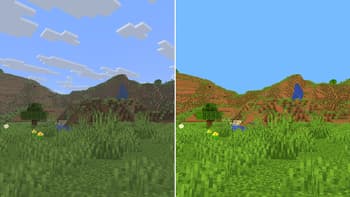
About
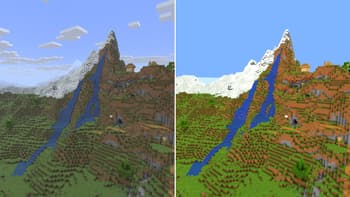
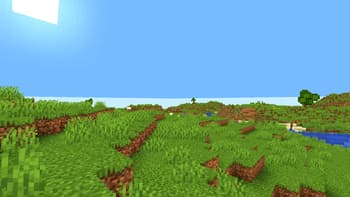
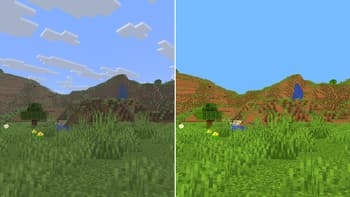
# Vividness Transform your Minecraft world with enhanced, vibrant colors! ## ✨ What is Vividness? Vividness is a lightweight color grading shaderpack that makes your Minecraft world more lively and colorful without heavy performance impact. It enhances the vanilla experience with brighter skies, more vibrant grass, and deeper water colors. ## 🎨 Features - **+8% Brightness** - Clearer visibility - **+25% Saturation** - More vibrant colors - **+12% Contrast** - Sharper visuals - **Enhanced Blue Tones** - Brighter skies and deeper oceans - **Enhanced Green Tones** - Livelier grass and foliage - **Warm Color Temperature** - Natural, comfortable look ## 🚀 Performance - **Extremely lightweight** - Only color grading, no heavy effects - **No impact on FPS** - Runs smoothly on most system...
Read more on ModrinthPreview
Versions
1.0.0
7 months ago

kumsung
Owner
Related Shaders

Complementary Shaders - Reimagined
Preserving the elements of Minecraft with exceptional quality, detail, and performance.

Complementary Shaders - Unbound
Transforming the visuals of Minecraft with exceptional quality, detail, and performance.

BSL Shaders
Shaderpack for Minecraft: Java Edition. It's bright, colorful, and distinct.

Photon Shaders
A gameplay-focused shader pack with a semi-realistic style