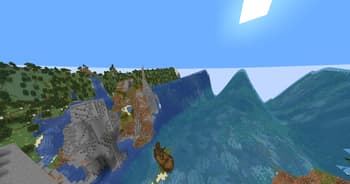

Wavy World
1.21.11SHADERby Slok
Preview


About
this is a wacky very customizeable shader that allows you to make a ton of diffrent waves it is insanely reccomended to open up the settings and play around in there SETTINGS: There are 3 subcategories Out X,Out Y and Out Z each one is a direction and each one decides where will the block move there are 8 Options in each one: Enabled: Enable/Disable this subcategorie Speed: Speed of the wave Dead Zone: calm zone around the player Falloff: The higher the number the lower the waves Scale: the farther away the wave the longer it is Bumps Or Divots: Whether to show bumps, divots, or both Offset: Offset the cycle of the waves Length: Only works when scale is off Makes it that everywhere has the same length wave Y: Make waves go in Y/Y- Direction X: Make waves go in X/X- Direction ...
Read more on ModrinthPreview
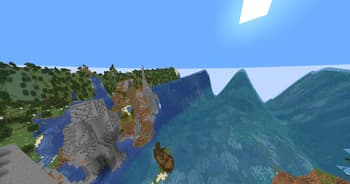
Big waves
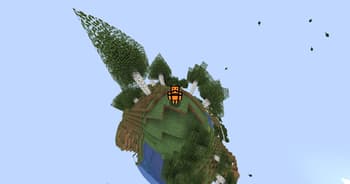
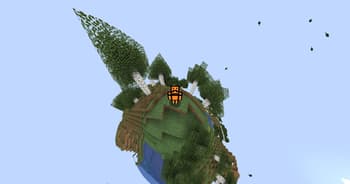
Little Big Planet

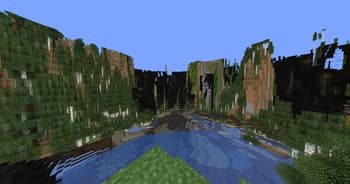
I dunno what to title this
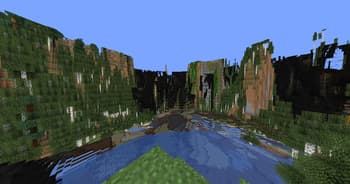
Buggy
Versions
1.0
1 month ago

Slok
Owner
Related Shaders

Clarity
FullBright2 is now named Clarity and it removes all shadows and fog wich makes you see clearly everywhere and can be used for mining or travelling at night.

CTR VCR
Retro stylized shader that brings artifacts from CRT and VCR / VHS

Cursed Fog
Creepy, tense shaders that will tickle your nerves.

Flashlight Shader
Iris shader that gives you a flashlight!