
Lightmap Fixer
1.21.11SHADERby owenxm
6.9K8
How to Install:
1. Download shader file→2. Open Minecraft with OptiFine/Iris→3. Video Settings > Shaders→4. Put file in shaders folder
Installation:
1. Download shader file•2. Open Minecraft with OptiFine/Iris•3. Go to Video Settings > Shaders•4. Click Shaders Folder•5. Put file in folder & select
About
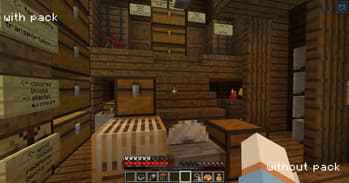
all this pack does is put 25w33a's ```core/lightmap``` shader into a resource pack so that it works in later versions, fixing the strangely warm lighting. I have no idea if this'll break anything visually. maybe the end flashes? they're why the shader was changed in the first place. I dunno.
Preview
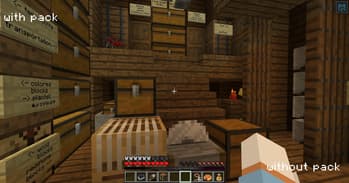
comparison
Versions
1.0
9 months ago
Developers

owenxm
Owner
Related Shaders

Complementary Shaders - Reimagined
Preserving the elements of Minecraft with exceptional quality, detail, and performance.
atmospherebloomcartooncolored-lightingfantasyfoliagehighirislowmediumoptifinepbrpotatoreflectionsshadowsvanilla-like
54.0M

Super Duper Vanilla
A shader pack created to convey the style of the cancelled Super Duper Graphics Pack and other popular Minecraft titles.
bloomfoliageirislowoptifinepbrreflectionsshadowsvanilla-like
6.7M

Nostalgia Shader
Capturing the essence of old shaderpacks to create a stylized and modern Minecraft-look.
atmospherebloomcolored-lightingfantasyfoliageirismediumoptifinereflectionsshadowsvanilla-like
3.6M

Miniature Shader
Extremely lightweight with shadows and reflections
atmosphereirislowoptifinepath-tracingpotatoreflectionsshadowsvanilla-like
3.5M